
9 Benefits of Cloud Computing
Cloud adoption is no longer just an IT upgrade it an operating model for building, shipping, and scaling products. If you’re researching the benefits of cloud computing, you’re likely trying to answer a practical question: Will moving workloads, apps, or data to the cloud actually make my business faster, safer, and more cost-effective?
In 2026, the answer is usually yes but only when you pair cloud services with the right governance, security model, and cost controls. The cloud can reduce upfront infrastructure spend, improve resilience and collaboration, and accelerate modern capabilities like analytics and AI. At the same time, it can introduce new risks like vendor lock-in or surprise bills if you migrate without a plan.
This guide breaks down 9 benefits of cloud computing in plain language, shows where each benefit matters most (with real-world use cases), and closes with a checklist to avoid the most common cloud mistakes.
What is cloud computing? (what are benefits of cloud computing)
Cloud computing is the delivery of computing resources like servers, storage, databases, networking, and software over the internet on an on-demand basis. Instead of buying and maintaining hardware in your own data center, you rent what you need from a cloud provider and scale up or down as your requirements change.
The easiest way to think about it: cloud computing turns infrastructure into a utility. You don’t build your own power plant to run your office; you pay for electricity as you use it. Cloud works similarly for compute and storage.
Cloud also comes in different service models:
- IaaS (Infrastructure as a Service): rent compute, storage, networking
- PaaS (Platform as a Service): build/deploy apps without managing servers
- SaaS (Software as a Service): use complete software products (email, CRM, etc.)
Authoritative overviews from major providers align on this definition and on the core value: faster access to resources without owning the underlying infrastructure (see Google Cloud’s overview: https://cloud.google.com/learn/advantages-of-cloud-computing).
Why cloud computing matters for businesses in 2026 (benefits of cloud computing for businesses)
In 2026, cloud is tightly linked to three pressures most teams feel:
- Speed expectations: customers expect rapid feature delivery, global uptime, and seamless performance.
- Security expectations: regulators, partners, and users expect stronger controls (identity, encryption, auditability).
- AI expectations: companies want to operationalize analytics, automation, and generative AI without rebuilding their entire stack.
Cloud helps because it offers:
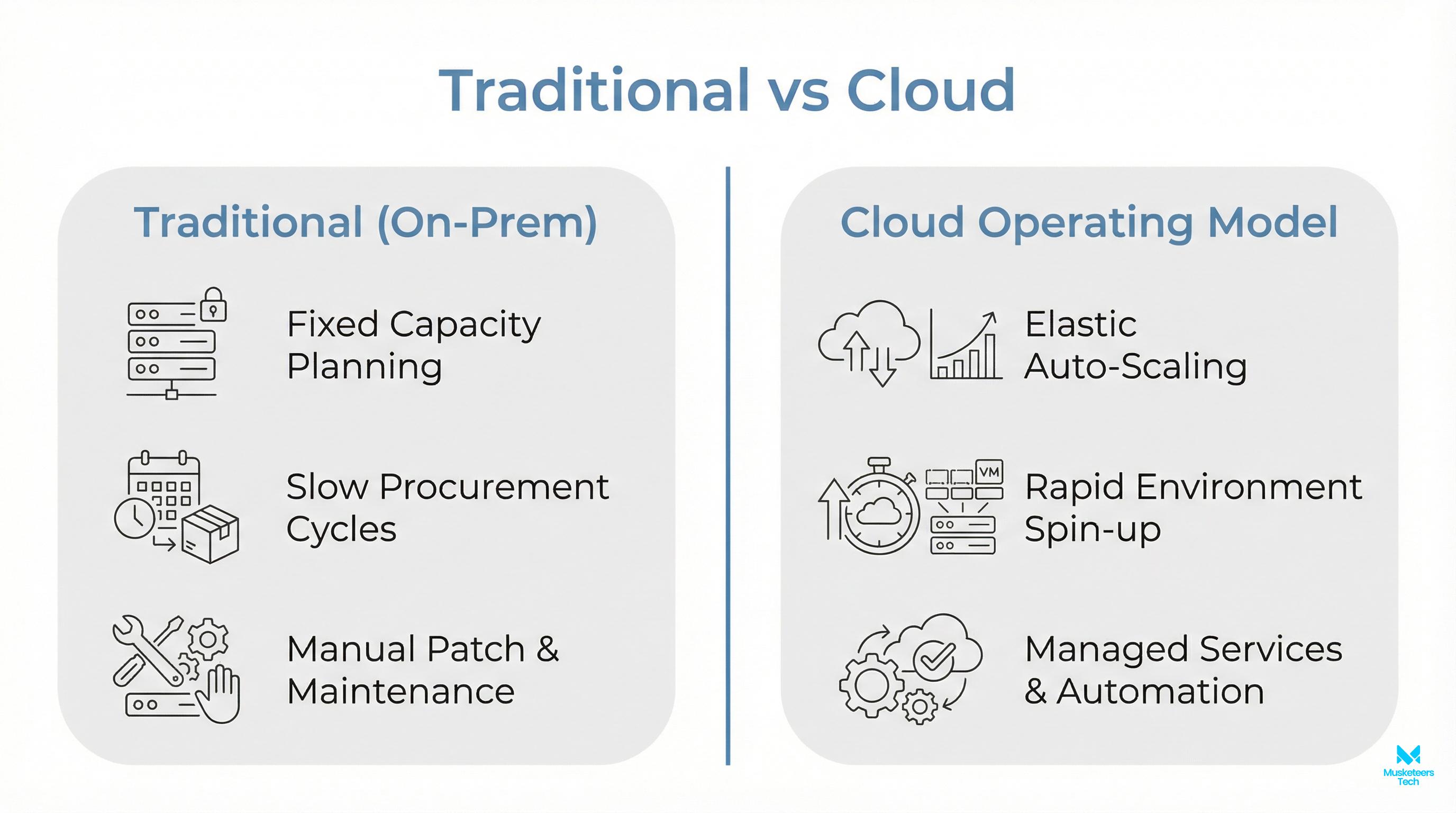
- faster provisioning than traditional procurement cycles,
- managed services that reduce ops load,
- global infrastructure and resilience features that are hard to replicate in-house.
If you’re leading a product, operations, or engineering team, the biggest business benefit of cloud computing is that it turns infrastructure constraints into configurable settings so your roadmap is less limited by hardware, capacity planning, and data center overhead.
To go deeper on the change management side of cloud adoption, see our digital transformation services.
Cloud models and key features (and how to choose)
Most “what are the benefits of cloud computing” articles list advantages without explaining which cloud you need. These models change your cost, control, and compliance posture.
Public vs private vs hybrid cloud (benefits of private cloud computing)
| Deployment model | What it is | Best for | Watch-outs |
|---|---|---|---|
| Public cloud | Shared provider infrastructure (AWS/Azure/GCP) | speed, elasticity, managed services | governance + cost control needed |
| Private cloud | Dedicated environment for one org | strict compliance, legacy constraints, predictable workloads | higher ops burden, less elasticity |
| Hybrid cloud | Mix of on-prem/private + public cloud | gradual migration, data residency, edge needs | integration complexity |
If you’re in highly regulated environments, benefits of private cloud computing can include tighter isolation and customized controls—but you trade off convenience and often cost.
IaaS vs PaaS vs SaaS (quick comparison)
| Model | You manage | Provider manages | When it wins |
|---|---|---|---|
| IaaS | OS, runtime, apps, data | hardware + virtualization | lift-and-shift, custom stacks |
| PaaS | apps + data | OS/runtime/scaling | fast dev cycles, reduced ops |
| SaaS | configuration + users | entire app stack | standard business functions |
A good rule: choose the highest-level service you can without losing critical control. That’s how you capture the “time-to-value” advantage.
9 benefits of cloud computing
Below are nine benefits that consistently show up across leading provider resources (Google Cloud, IBM, AWS) and business-focused explainers—translated into what they mean for delivery teams and decision-makers.
1) Cost efficiency (pay-as-you-go + FinOps discipline)
Instead of paying upfront for servers you might need, cloud lets you pay for the capacity you actually use. This shifts spending from capex-heavy purchases to usage-based operating costs.
Where it matters most
- startups avoiding big infrastructure commitments
- seasonal businesses with fluctuating demand
- teams that need to run experiments without permanent environments
Implementation tip: FinOps
Cost efficiency doesn’t happen automatically. Use budgets, tagging, and right-sizing, and adopt FinOps practices early.
If cloud cost is already a pain point, our AWS optimization & automation service focuses on reducing waste and improving visibility.
2) Faster time to market (provisioning in minutes, not weeks)
Cloud reduces the “wait time” between idea -> environment -> deploy. Teams can spin up dev/test stacks quickly, automate CI/CD, and use managed databases, queues, and observability tooling instead of assembling everything manually.
Where it matters most
- MVP builds and rapid feature iterations
- product launches
- teams migrating from manual infrastructure processes
This is one of the most directly measurable benefits: shorter cycle times and fewer blocked engineers.
3) Scalability and elasticity (handle growth without re-architecture)
Scalability means you can increase resources to meet demand. Elasticity means you can also shrink resources when demand drops—so you don’t keep paying for idle capacity.
Where it matters most
- eCommerce traffic spikes
- media streaming, live events
- SaaS products with variable user growth
In practical terms: you can align infrastructure with real usage rather than worst-case planning.
4) Reliability, backup, and disaster recovery
Cloud providers offer multi-zone/region architectures, managed backups, and disaster recovery patterns that are expensive to recreate on-prem. Done right, this reduces downtime risk and improves recovery objectives.
Where it matters most
- customer-facing apps needing high availability
- regulated industries requiring retention and auditability
- teams that can’t tolerate single points of failure
AWS’s overview of cloud advantages also emphasizes business continuity and resilience patterns as foundational outcomes (reference: https://docs.aws.amazon.com/whitepapers/latest/aws-overview/six-advantages-of-cloud-computing.html).
5) Security modernization (when you adopt the shared responsibility model)
Security is often misunderstood in cloud conversations. The cloud provider secures the cloud (data centers, hardware, foundational services). You secure what you put in the cloud (identity, permissions, data classification, app security).
Where it matters most
- companies improving identity and access management
- teams centralizing logging and detection
- organizations shifting toward Zero Trust
Cloud can strengthen security because it centralizes controls and enables rapid patching and automation—but only with correct IAM, network segmentation, encryption, and monitoring. (See Google Cloud’s security framing and Zero Trust references: https://cloud.google.com/security)
6) Better collaboration and remote work
Cloud-based storage and apps allow teams to access the same data and tooling from anywhere, with permissioning and version control. That reduces “single machine” bottlenecks and supports distributed teams.
Where it matters most
- global teams
- hybrid workforces
- partner ecosystems where secure data sharing is required
This benefit is often underestimated until teams experience the productivity gain from shared, real-time systems.
7) Performance and global reach (regions, CDNs, edge)
Cloud providers run infrastructure in many regions and offer content delivery networks (CDNs) and edge services that reduce latency for global users.
Where it matters most
- multi-country customer bases
- latency-sensitive apps (fintech, gaming, real-time dashboards)
- disaster recovery across geographies
Global reach is not just speed—it’s also a resilience strategy when designed properly.
8) Data and AI acceleration (analytics + MLOps + genAI readiness)
For many companies, the “killer benefit” in 2026 is acceleration of data platforms and AI initiatives. Cloud makes it easier to:
- consolidate data sources into governed analytics stacks
- run large-scale training/inference workloads (GPUs/TPUs)
- operationalize MLOps and evaluation loops
Where it matters most
- personalization and recommendation systems
- forecasting and anomaly detection
- customer support automation and agentic workflows
This is where cloud stops being “infrastructure” and becomes “capability.” If you’re building AI features into products, explore our generative AI application services.
9) Sustainability and carbon reporting
Cloud providers typically run highly optimized data centers with better utilization than typical on-prem environments. Many also provide tooling to estimate emissions and track usage by project.
Where it matters most
- companies with ESG reporting requirements
- enterprises optimizing energy use and hardware refresh cycles
- products that need efficiency at scale
While sustainability outcomes vary by workload, cloud can be a pragmatic lever—especially when combined with right-sizing and modern architectures.
Benefits and limitations of cloud computing (real tradeoffs + mitigation)
A credible cloud plan includes both upside and constraints. The most common limitations:
- Internet dependency & downtime risk: mitigation includes multi-region design, caching, and offline-capable UX where relevant.
- Vendor lock-in: mitigate with containerization, open standards, portability-aware architecture, and careful managed-service selection.
- Unforeseen costs: mitigate with budgets, alerts, tagging, forecasting, and governance (FinOps).
- Less direct infrastructure control: mitigate with strong observability and well-defined SLOs/SLAs.
- Integration complexity: mitigate with phased migration, API-led integration, and data synchronization planning.
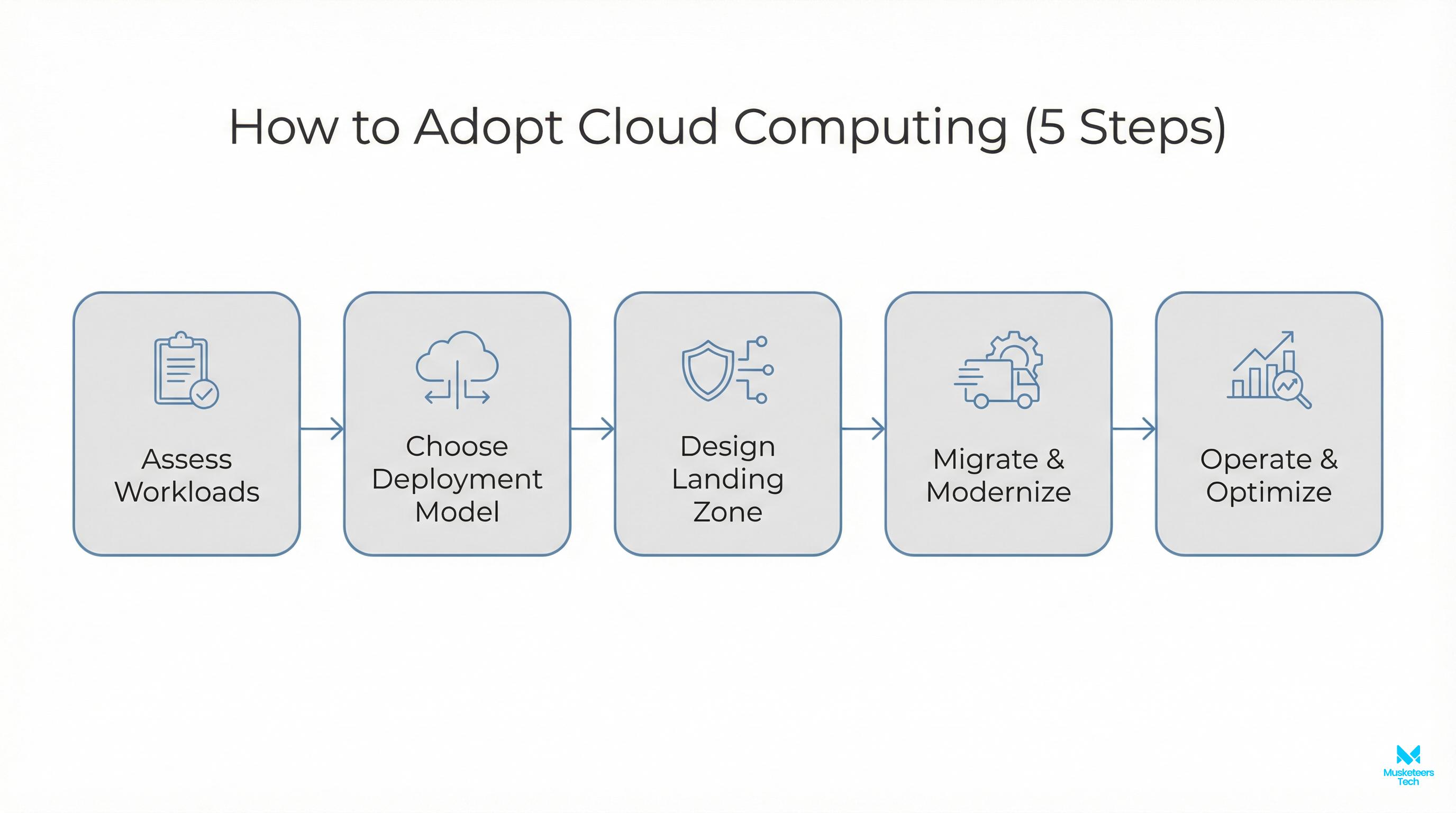
If you want the benefits without the common “gotchas,” treat cloud adoption as a product rollout: define success metrics, choose a migration sequence, and build guardrails before scaling usage.
Use cases: 5 most common uses of cloud computing
These map closely to the benefit patterns above and help teams decide what to migrate first.
-
Web and mobile app hosting
Ideal for scaling, global reach, and rapid deployments. Pair with managed databases and CDNs. -
Backup and disaster recovery
Often the safest first step because it reduces risk quickly without refactoring core apps. -
Data warehousing and analytics
Centralize data for reporting and decision-making; later expand into ML and genAI. -
Dev/test environments and CI/CD pipelines
Provision ephemeral environments, reduce idle infrastructure, and standardize releases. -
AI/ML workloads (training + inference)
Use specialized compute (GPUs) and managed orchestration to accelerate AI initiatives.
If your team is also evaluating build strategies and delivery capacity, our nearshore software development guide can help you plan the execution model alongside the architecture.
Best practices & common mistakes (cloud adoption checklist)
Use this checklist to convert “benefits of cloud computing” into real outcomes.
Best practices (do these early)
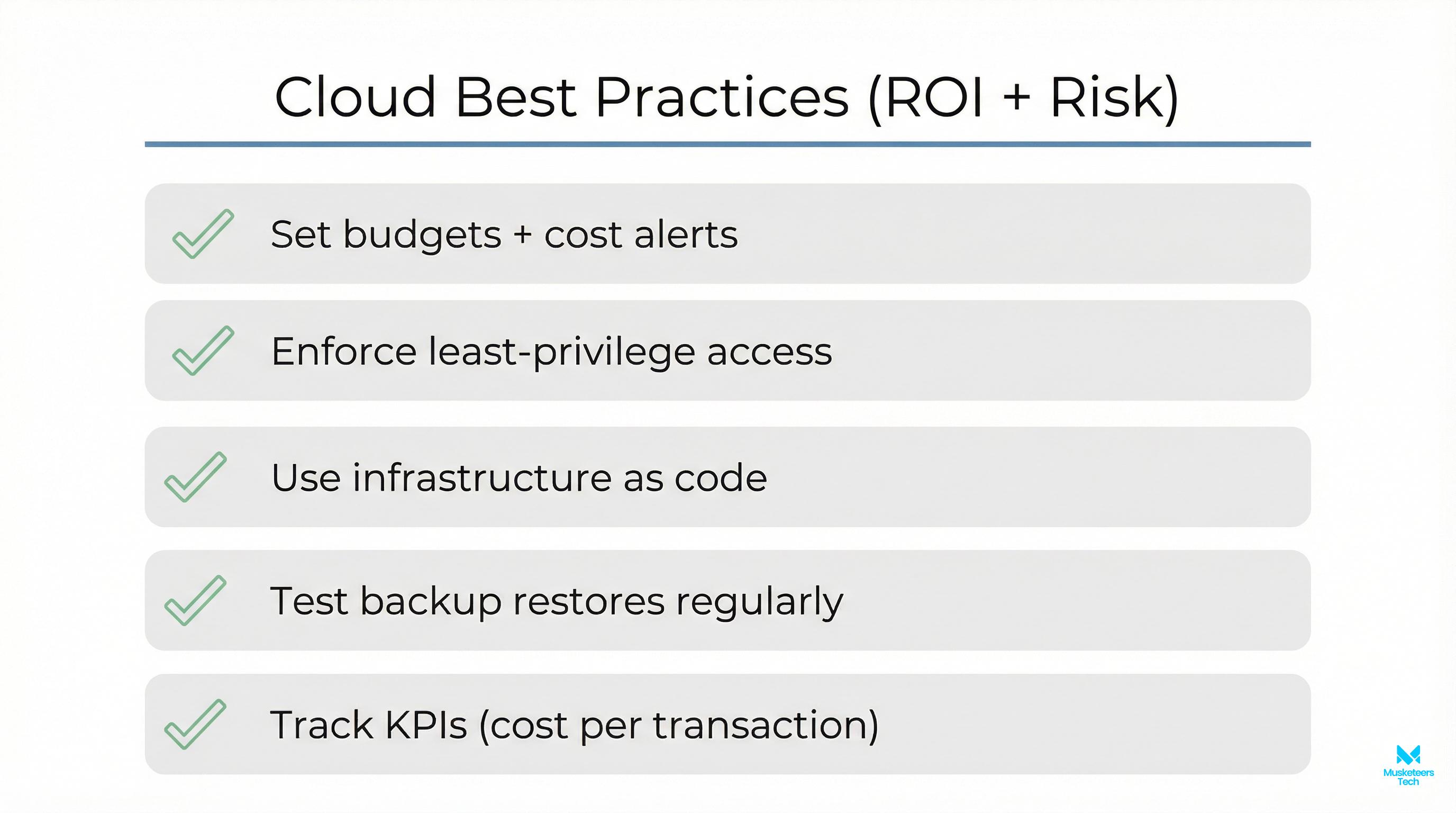
- Define success metrics (cost/unit, uptime, deploy frequency, incident rate, lead time)
- Implement identity and access controls first (least privilege, MFA, centralized IAM)
- Set cost guardrails (budgets, alerts, tagging, chargeback/showback)
- Choose a migration sequence (low-risk first: backups, stateless apps, dev/test)
- Standardize deployment and observability (CI/CD, logs/metrics/traces, SLOs)
- Plan for portability where it matters (containers, IaC, avoid accidental lock-in)
Common mistakes (that erase the benefits)
Avoid these pitfalls
- Migrating without refactoring anything or refactoring everything at once
- Treating cloud security as “the provider handles it”
- No ownership for cloud spend (no FinOps, no tagging)
- Overusing managed services without a portability strategy
- Not training teams on operations, incident response, and reliability practices
Tools and platforms to consider
You don’t need to pick “the perfect stack” on day one—but you do need a coherent baseline.
- Cloud providers: AWS, Microsoft Azure, Google Cloud (choose based on ecosystem, compliance, and team skills)
- Infrastructure as Code: Terraform, Pulumi, Cloud-native IaC options
- Containers & orchestration: Kubernetes (when justified), managed container runtimes
- Security: IAM, secrets management, CSPM tooling, centralized logging/SIEM integrations
- Cost management: billing alerts, budgets, anomaly detection, FinOps workflows
A practical approach: pick your primary cloud, enforce IaC, implement security/cost guardrails, then expand services gradually.
Frequently Asked Questions (FAQs)
The six most commonly cited benefits are cost efficiency, speed (faster provisioning), scalability, reliability/disaster recovery, improved security capabilities, and easier collaboration. The exact impact depends on governance and architecture choices.
How Musketeers Tech Can Help
Knowing the benefits is step one; capturing them requires the right execution plan. Musketeers Tech helps teams turn cloud goals into measurable outcomes—without the chaos of ungoverned spend or security gaps.
We typically support clients across three tracks:
- Cloud architecture + modernization: designing scalable, secure, cloud-native foundations for web and mobile products.
- Cost optimization and automation: building FinOps guardrails, right-sizing workloads, and automating routine operations to keep spend predictable.
- Product delivery on cloud: engineering teams that ship MVPs and production systems with CI/CD, observability, and reliability baked in.
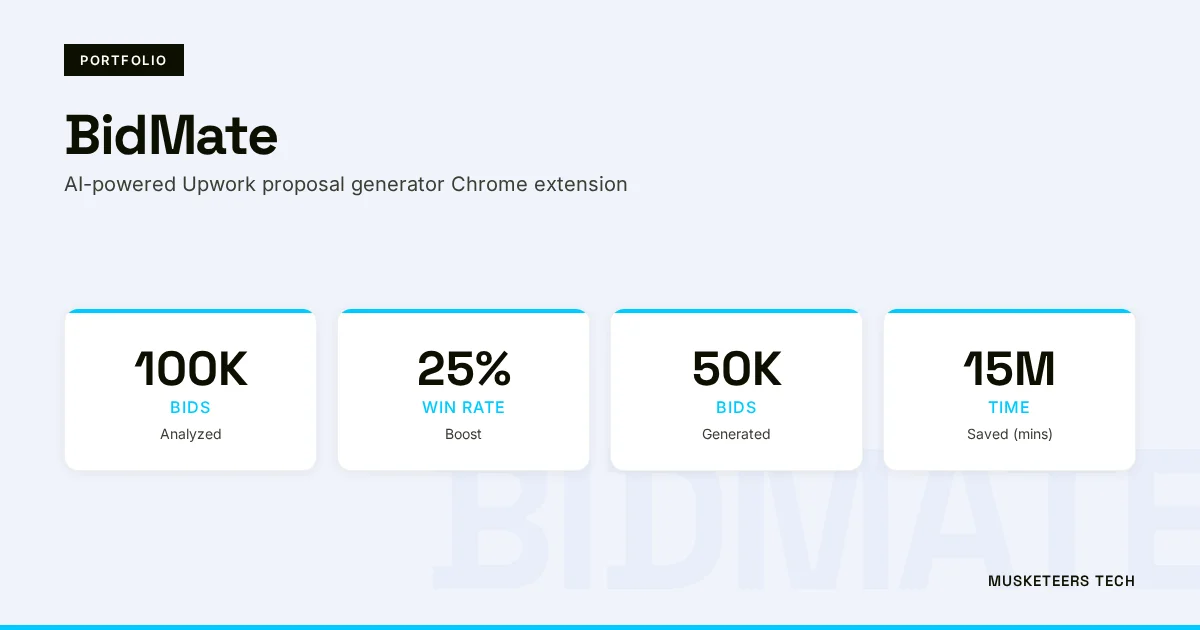
If you’re building data/AI features or modern customer platforms, we can also align cloud foundations with your AI roadmap using our delivery experience across products like BidMate (AI assistant workflows) and healthcare-oriented systems like DoctorDost-style appointment experiences in our portfolio.
Learn more about our AWS Optimization & Automation or see how we helped clients with similar challenges in our portfolio.
AWS Cost Optimization
Cut waste, right-size workloads, and automate guardrails with FinOps.
Digital Transformation
Plan and execute cloud migration with governance, security, and KPIs.
Web Application Development
Build cloud-native apps with CI/CD, observability, and reliability.
Final Thoughts
The benefits of cloud computing are real—but they’re not automatic. Cloud can reduce upfront costs, improve scalability and resilience, strengthen security controls, and accelerate modern capabilities like analytics and AI. The teams that see the biggest gains treat cloud as an operating model: they define KPIs, automate deployment and observability, and put cost/security guardrails in place early.
If you’re deciding what to migrate first, start with low-risk wins (backup/DR, dev/test, stateless services), then expand as governance matures. And if you’re already in the cloud but not seeing the ROI, the fix is usually visibility: get control of spend, tighten IAM, and standardize platform practices.
Need help with cloud adoption or optimization? Check out our cloud optimization services or explore our recent projects.
Last updated: 04 Feb, 2026
