


5 Ways Machine Learning Improves UX
If your product experience feels “one-size-fits-all,” users notice. They bounce, they hesitate, and they abandon flows that don’t meet them where they are. That’s where machine learning UX becomes a practical advantage—not as a buzzword, but as a way to make interfaces more adaptive, helpful, and efficient.
When machine learning is paired with strong UX principles, you can personalize journeys without guesswork, improve discovery with smarter search and recommendations, and even reduce friction through predictive experiences (like suggesting the next step before the user asks). But there’s a catch: the best ML features can still create a bad experience if they’re not designed for trust, clarity, and control.
In this guide, we’ll break down 5 concrete ways machine learning improves UX, show where each approach works best, and share a lightweight implementation playbook your product team can actually use.
What is ML UX? (Machine Learning + UX)
ML UX (machine learning + user experience) is the practice of designing product experiences that are informed by data and/or powered by machine learning models—while still being usable, understandable, and aligned with user goals.
In practical terms, ML UX usually shows up in two ways:
- Data-informed UX decisions: You use data science techniques (segmentation, clustering, propensity scoring) to learn what users need and where they struggle then you redesign flows accordingly.
- Model-powered experiences: You embed ML outputs directly into the UI (recommendations, ranking, predictions, summarization, anomaly detection), so the interface responds more intelligently over time.
Good ML UX is not “let the model decide.” It’s a collaboration between product, design, engineering, and data teams to make sure ML improves outcomes and the experience stays transparent, controllable, and resilient when predictions are wrong.
To see how this connects to real product work, explore our practical uses of AI in web development.
Why Machine Learning UX Matters (Benefits for Users + Business)
Machine learning can improve UX because it helps products move from static interfaces to adaptive systems. When done well, it benefits users and the business at the same time:
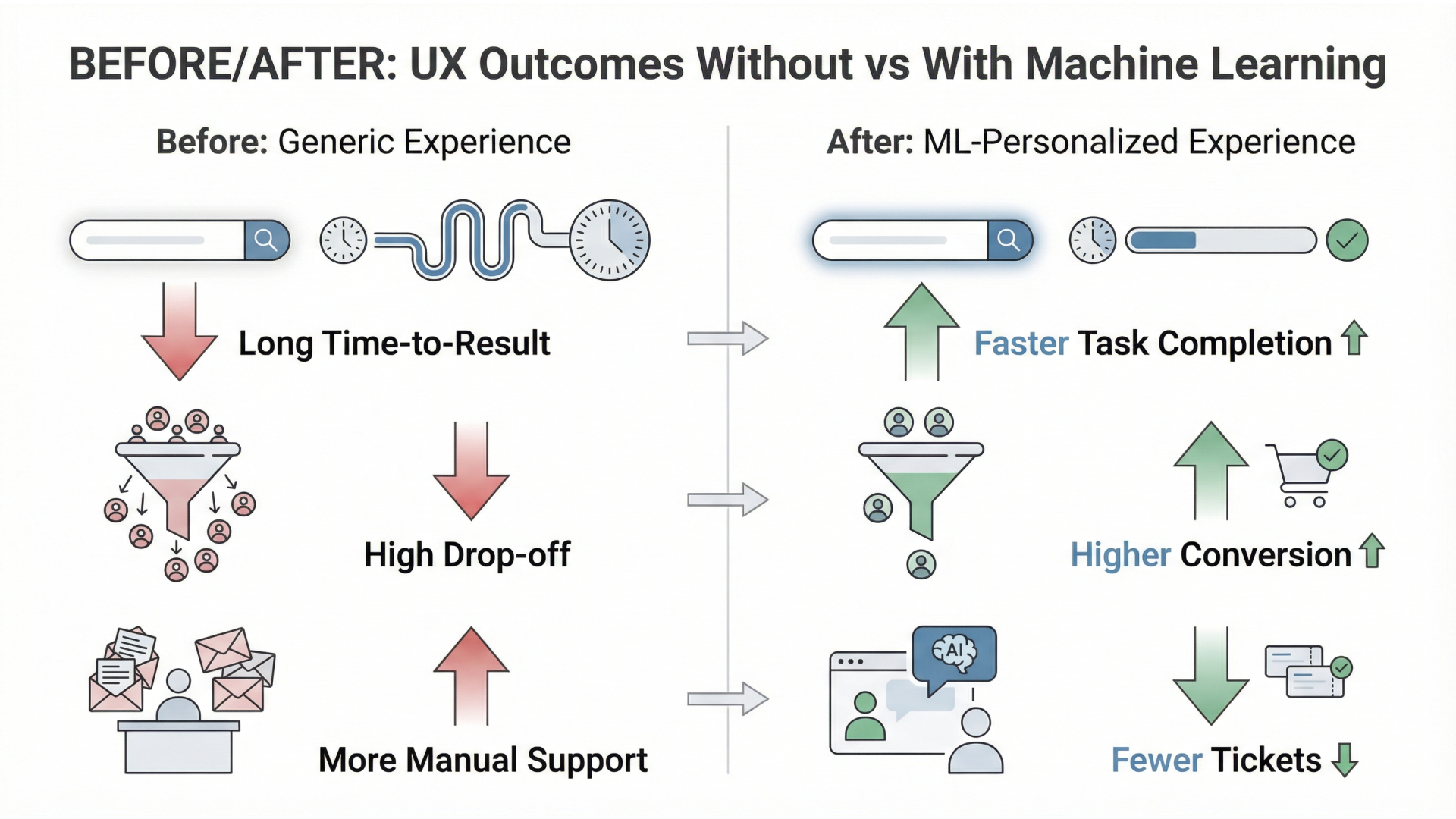
- Less effort, faster outcomes: Better ranking, recommendations, and autofill reduce time-to-value.
- Higher relevance: Personalization prevents users from wading through irrelevant content or options.
- Fewer dead ends: Predictive guidance can reduce “I’m stuck” moments in complex workflows.
- More confident decisions: With explainability and good UX copy, users can trust suggestions and act faster.
- Continuous improvement: ML-informed experimentation helps teams learn what works without relying on assumptions.
Here’s a simple way to think about it:
| UX area | Traditional approach | ML-enhanced approach | UX impact |
|---|---|---|---|
| Personalization | Manual segments and rules | Behavioral + contextual models | More relevance with less maintenance |
| Search & discovery | Keyword matching | Ranking + semantic retrieval | Better results, fewer retries |
| Onboarding | Static tours | Next-step prediction | Faster activation |
| Research | Surveys + manual tagging | Automated insight mining | Shorter research cycles |
| Experimentation | A/B test each idea | ML-assisted targeting + optimization | More wins per test |
Important
The goal isn’t “AI everywhere.” The goal is measurable UX improvements like higher activation, lower time-on-task, fewer support tickets, and better retention.
5 Ways Machine Learning Improves UX (with Examples)
1) Personalization that adapts in real time (machine learning UX design)
Rule-based personalization (e.g., “if user is in industry X, show banner Y”) works”until your product grows. ML-driven personalization adapts to behavioral signals (clicks, dwell time, feature usage), context (device, locale, time), and sometimes intent (what the user is trying to do).
Examples:
- A B2B dashboard that prioritizes the most-used widgets per role.
- An onboarding checklist that changes based on what the user already completed.
- Content feeds ranked by predicted relevance rather than recency.
UX best practice
Always include a “Why am I seeing this?” explanation and give users control (dismiss, tune, reset). Personalization without control can feel creepy or manipulative.
2) Smarter search, recommendations, and discovery (AI and UX)
Search is often the highest-intent UX surface in a product—users are literally telling you what they want. ML improves discovery through:
- Learning-to-rank: Reorders results based on what users typically click and succeed with.
- Semantic retrieval: Finds meaning, not just keywords (useful when users don’t know the exact term).
- Recommendations: Suggests related items, templates, actions, or knowledge-base articles.
Examples:
- An e-commerce filter that re-ranks based on likelihood to purchase and returns.
- A knowledge base that suggests articles based on the support ticket text.
- A product settings page that surfaces the next most likely action.
UX best practice
Make it obvious when results are ranked/suggested vs exact matches. If users can’t predict the system, they won’t trust it.
3) Predictive UX (next best action, proactive help)
Predictive UX uses ML to anticipate what users need next, reducing friction in multi-step workflows. This is especially effective in products with repeatable patterns (sales, finance, onboarding, booking, configuration).
Examples:
- “Next best action” suggestions for CRM users (follow-up, send proposal, update stage).
- Proactive warnings before a user makes a costly mistake (e.g., “this change impacts 12 users”).
- Smart defaults that reduce typing (but still allow manual edits).
UX best practice
Predictions must be framed as suggestions, not commands. Provide alternatives and an easy way to undo actions.
4) Automated UX research & insight mining (AI UX design)
ML can accelerate UX research by turning messy qualitative data into structured signals. This doesn’t replace human insight”but it helps teams move faster.
Examples:
- Topic clustering on open-ended survey responses (pricing, performance, confusing UI).
- Sentiment detection on reviews to spot where frustration is spiking.
- Session replay analysis to identify friction patterns at scale.
UX best practice
Avoid treating model outputs as truth. Validate with sampling and triangulation (analytics + interviews + usability tests).
If you’re building internal AI workflows, our guide on training ChatGPT on your own data is a helpful starting point for structuring knowledge sources.
5) Experimentation at scale (ML-assisted A/B testing)
Traditional experimentation is slow: pick an idea, run a test, wait, repeat. ML helps you learn faster by improving targeting and optimization:
- Smarter segmentation: Identify which user cohorts benefit from which UX changes.
- Multi-armed bandits: Allocate traffic dynamically toward better-performing variants.
- Automated anomaly detection: Catch when metrics drift due to releases or seasonality.
Examples:
- A pricing page layout optimized differently for new vs returning users.
- A signup funnel variant rolled out faster when it clearly outperforms.
- Early alerts when conversion drops after a UI change.
UX best practice
Align experiments with user value, not vanity metrics. A higher click-through rate is meaningless if downstream activation drops.
ML UX Implementation Playbook (Data → Model → UI → Metrics)
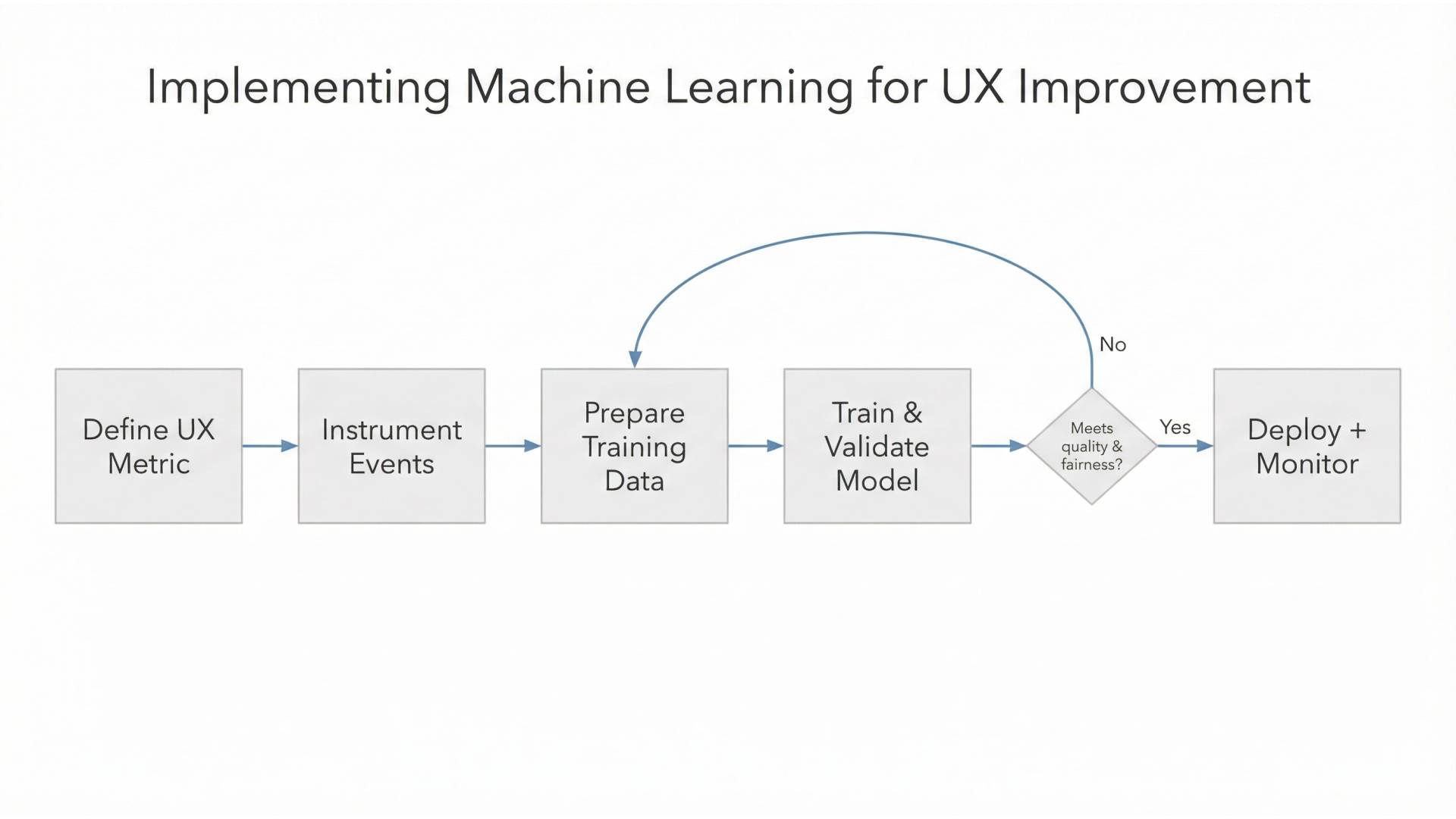
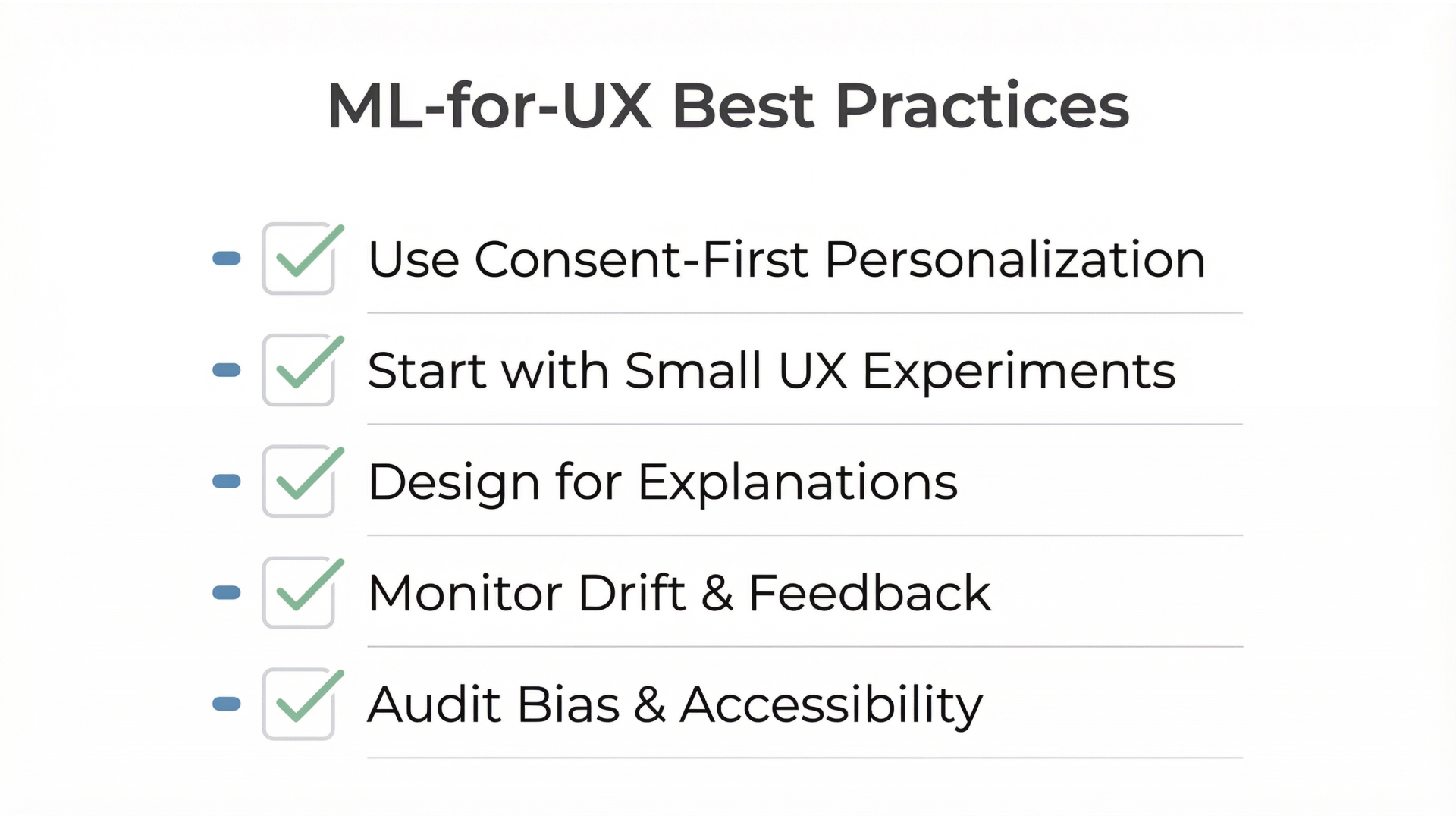
Most ML UX fails for predictable reasons: unclear user value, weak data, and no plan for “when the model is wrong.” Here’s a practical framework to ship ML UX responsibly.
-
Start with a UX problem (not a model)
- Define the friction: time-on-task, drop-off step, low discovery, repeated support issue.
- Write a success metric: activation rate, retention, task completion, reduced tickets.
-
Identify the minimum viable data
- What signals exist today (events, text, clicks, outcomes)?
- What’s missing—and can you collect it ethically with clear consent?
-
Choose the simplest viable ML approach
- Many wins come from ranking, clustering, or lightweight prediction—not complex deep learning.
- Prefer models that are explainable enough for the UX you need.
-
Design the UI around uncertainty
- Show confidence when it matters (high confidence vs not sure).
- Provide fallbacks (default sorting, manual search, human handoff).
- Make undo easy and visible.
-
Add trust and governance checks
- Privacy: minimize data, secure storage, retention limits.
- Bias: test for uneven outcomes across user groups where relevant.
- Transparency: disclose when AI is used in meaningful decisions.
-
Ship with monitoring (not just a launch)
- Monitor UX KPIs and model health (drift, latency, error rates).
- Track “silent failures” like rising retries, rage clicks, or increased abandonment.
This is also where “AI UX design” becomes a business capability—not a one-off feature.
Tools & Platforms for ML-Driven UX
- Product analytics: Amplitude, Mixpanel, GA4 (event instrumentation + funnels)
- Experimentation: Optimizely, VWO, LaunchDarkly (feature flags + testing)
If you’re moving toward agentic experiences (assistants inside your product), also see our guide to AI support chatbots.
How Musketeers Tech Can Help
At Musketeers Tech, we help teams turn ML and AI capabilities into real product outcomes—not demo features. If you’re exploring machine learning UX, we can support you from strategy to build:
- Discovery & UX strategy: identify high-impact UX surfaces for ML (search, onboarding, support, personalization) and define measurable KPIs.
- Data and model integration: instrument events, set up pipelines, and integrate model outputs into production-grade UX flows (with fallbacks and monitoring).
- AI product engineering: build AI-first experiences such as in-product assistants, recommendation layers, and insight mining tools.
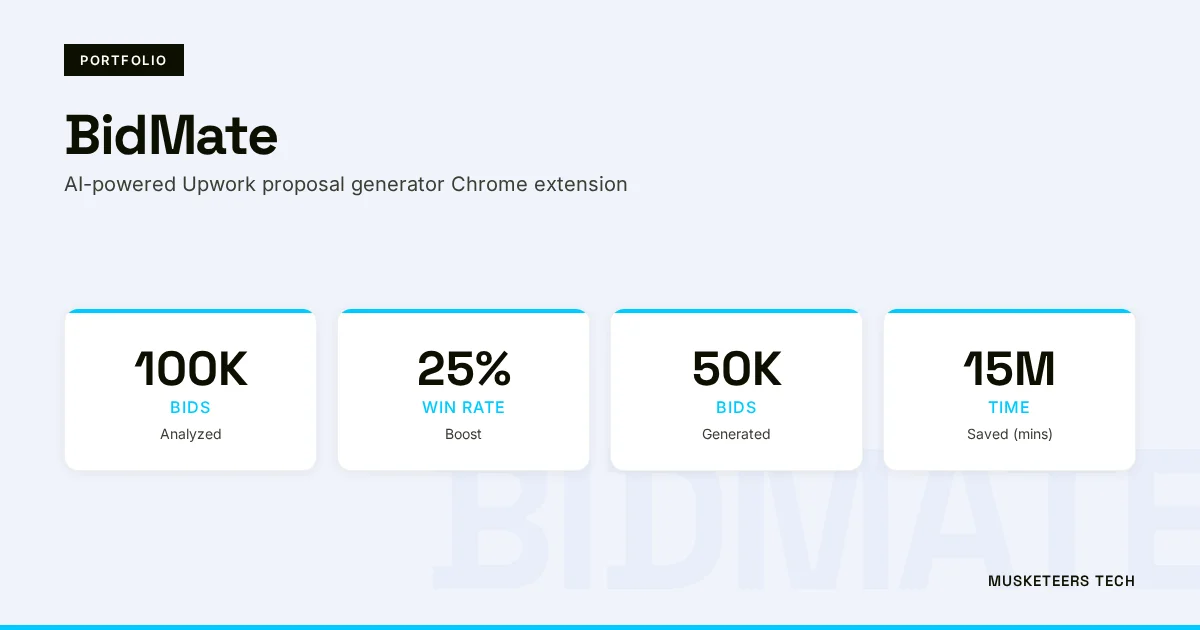
For example, we’ve delivered AI-first products like Bidmate (AI assistant) and other applied AI experiences in our portfolio—the same patterns that power recommendations, proactive UX, and automation in modern SaaS.
Learn more about our Generative AI Application Services or see how we helped clients with similar challenges in our portfolio.
Generative AI Apps
Ship AI-powered features—assistants, recommendations, and summarization—designed for trust and measurable UX impact.
AI Agent Development
Embed autonomous assistants into your product workflows with safe controls, guardrails, and analytics.
Web App Engineering
Production-grade web apps and integrations that bring ML outputs into the UI with reliability and speed.
Frequently Asked Questions (FAQs)
The 80/20 rule (Pareto principle) in machine learning often means a small portion of features, data, or effort drives most of the results. In ML UX work, it’s a reminder to focus on the few UX surfaces (like search or onboarding) where ML can create the biggest measurable lift.
Final Thoughts
Machine learning UX works best when it’s treated as a product discipline: start with a user problem, use the simplest ML approach that can help, and design for trust—especially when predictions aren’t perfect. The biggest wins usually come from a few high-impact areas like personalization, search, predictive guidance, research acceleration, and experimentation.
If you’re planning your next ML UX initiative, focus on outcomes (activation, retention, task success), not novelty. And remember: the interface is where value becomes real. A model can be accurate and still fail if users don’t understand it, don’t control it, or don’t trust it.
Need help with machine learning UX? Check out our AI Agent Development or explore our recent projects.
Last updated: 27 Jan, 2026
