

Can Canvas Detect ChatGPT? AI Detection in Education Explained
If you’re wondering can Canvas detect ChatGPT, you’re not alone. Students ask because they don’t want to be falsely accused, and educators ask because they want academic integrity without turning every assignment into a surveillance exercise.
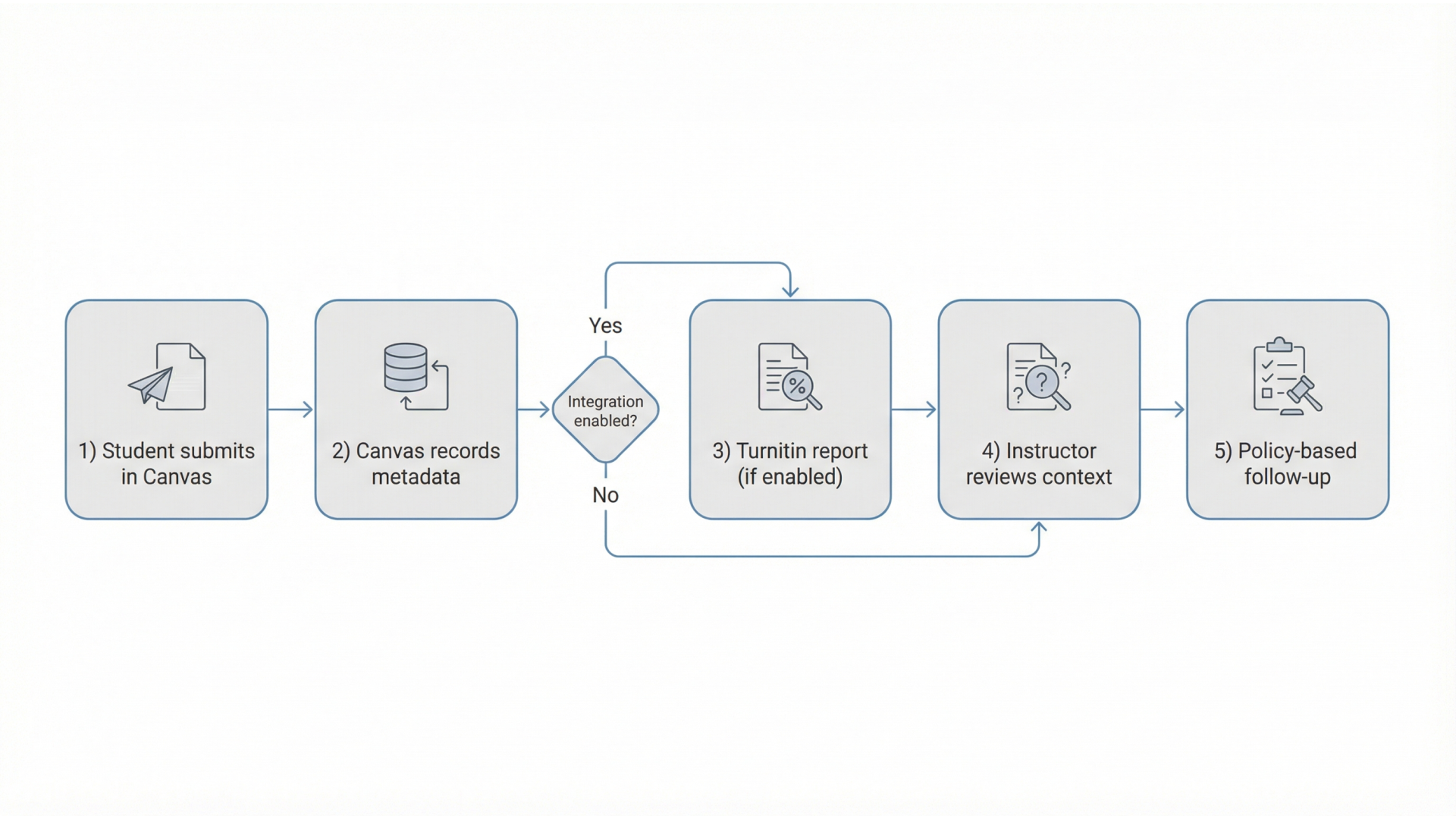
Here’s the core truth: Canvas is a learning management system (LMS), not an “AI detector.” On its own, Canvas doesn’t read your writing and label it “ChatGPT.” What it can do is record submission events and activity signals (especially in quizzes), and it can integrate with tools like Turnitin that analyze text for plagiarism and (sometimes) AI-writing indicators.
This guide breaks down what Canvas can realistically track, what instructors can see in Canvas quiz logs, when third-party tools are involved, and why AI detection is imperfect. If you’re a school leader, product manager, or educator evaluating AI policy, you’ll also find practical, ethical ways to reduce misuse without relying solely on detection.
Quick answer
Canvas alone can’t “see ChatGPT.” It records activity and submissions. AI-writing indicators, if any, typically come from integrations like Turnitin, plus instructor review and, sometimes, proctoring tools.
Introduction
Canvas (by Instructure) is where courses live assignments, discussions, quizzes, grading, files, and messaging. When people say “Canvas detected ChatGPT,” they usually mean one of these scenarios happened:
- The course uses an integration (commonly Turnitin) that generates an originality report and may include AI-writing indicators.
- The instructor reviewed Canvas logs (especially in quizzes) and noticed suspicious patterns: timing anomalies, repeated re-open events, unusually fast completion, etc.
- The instructor compared writing quality to a student’s past submissions and decided to investigate further.
- A separate proctoring tool (not Canvas itself) monitored the quiz/exam session.
So the best mental model is:
- Canvas = workflow + records
- Turnitin/other tools = text analysis
- Proctoring software = exam monitoring
- Instructor judgment = context + consistency
If your institution is developing AI policies or guardrails, this separation matters because it changes what’s technically possible, what’s ethically defensible, and what evidence is strong enough to act on.
For a practical look at how organizations structure AI usage responsibly, see our guide on training ChatGPT on your own data with governance in mind.
What is AI detection in Canvas (and what Canvas actually is)?
Canvas is primarily a learning workflow system. It:
- Manages assignments, discussions, quizzes, and grading
- Records submission times and quiz events
- Hosts integrations (like Turnitin) that can analyze submitted text
- Supports proctoring tools or secure browsers via add-ons
AI detection in a Canvas context means:
- In some courses, a Turnitin report may show AI-writing indicators alongside similarity scores.
- Instructors may manually check text using external tools.
- Logs and proctoring data can be reviewed for signals during quizzes or exams.
Can Canvas detect ChatGPT directly?
Not directly in most cases. Canvas doesn’t come with a native “ChatGPT detector” that scans your text and outputs a definitive verdict.
What can happen is indirect detection:
- AI-writing indicators appear in an integrated tool (e.g., Turnitin).
- Plagiarism similarity flags overlap with sources (even if the writing was AI-assisted).
- Behavioral signals in quizzes (timing, navigation, interruptions) raise suspicion.
- Instructor review identifies an abrupt shift in tone, vocabulary, or structure.
In other words:
- Canvas alone: tracks activity and submissions, not authorship.
- Canvas + integrations: can surface reports that suggest AI involvement.
- Canvas + instructor context: can lead to follow-up questions or academic integrity review.
AI detection scores are probabilistic, not proof. Policies that treat them as conclusive risk false positives and inconsistent enforcement.
What Canvas can track: quiz logs, tabs, copy/paste, and activity data
Canvas visibility depends on the feature used (quiz vs assignment vs discussion) and the institution’s settings. Below are common questions mapped to what’s actually measurable.
Canvas quiz logs: what they show (and what they don’t)
Quiz logs often include:
- When a quiz attempt started and ended
- Question navigation events (next/previous, question views)
- Answer selection/submission events
- Timing patterns (time per question, idle time)
- Re-open attempts or resume events (depending on settings)
What quiz logs generally do not provide as definitive evidence:
- The content of another app/site you viewed
- A guaranteed “ChatGPT was used” record
- Screen recording (unless a proctoring tool is used)
If you’re searching for what can professors see on Canvas during quiz, the best answer is: they can see events and timing, not your entire screen.
Can Canvas see if you switch tabs (or use split screen)?
- Canvas can sometimes detect loss of focus or page visibility changes in certain quiz contexts and browsers, but it’s not universal, and it doesn’t show exactly where you went.
- Some tab switching signals come from proctoring tools or secure browsers not Canvas core.
So, instructors may see indicators that suggest you left the quiz page, but that’s not automatically proof of cheating. It’s a reason to ask questions—especially if it aligns with other evidence.
Can Canvas detect copy and paste?
It depends:
- In some quiz/assignment editors, the platform can log certain interaction events.
- “Copy/paste detection” is not reliable as a single signal because devices, browsers, accessibility tools, and network conditions can create ambiguous logs.
How AI writing detection usually happens: Turnitin and other integrations
When institutions ask for AI detection on Canvas they usually mean tooling connected to Canvas.
Common approaches include:
- Turnitin integration: Similarity reports for plagiarism and, in some deployments, AI-writing indicators.
- Manual checks: An instructor copies text into a detector (GPTZero, Originality.ai, etc.).
- Workflow rules: Requiring drafts, outlines, citations, or writing samples to establish authorship.
Plagiarism vs “AI writing” signals (not the same thing)
It’s easy to mix these up:
- Plagiarism detection looks for overlap with known sources (web pages, papers, prior student submissions).
- AI-writing detection attempts to estimate whether text “looks like” it was generated.
A student can:
- Write original text and still be flagged incorrectly by AI detection (false positive).
- Use AI and still pass detection (false negative).
- Trigger plagiarism similarity without using AI (e.g., reused phrases, templates, citations, common definitions).
So if your goal is fairness, policies should avoid treating AI scores as a final verdict. They should be one input into a broader review process.
The accuracy problem: false positives, policy risk, and best practices
AI detection is improving, but it still has three structural problems that schools should plan for:
- False positives (innocent work flagged): Students who write in a formal or consistent tone, non-native speakers who use standardized phrasing, or those using grammar tools can be misclassified.
- False negatives (AI use missed): Small edits, mixed authorship, and domain-specific writing can evade detection because detectors rely on patterns, not ground truth.
- Inconsistent evidence standards: If one instructor uses a detector score as “proof” and another doesn’t, you create uneven enforcement and trust issues.
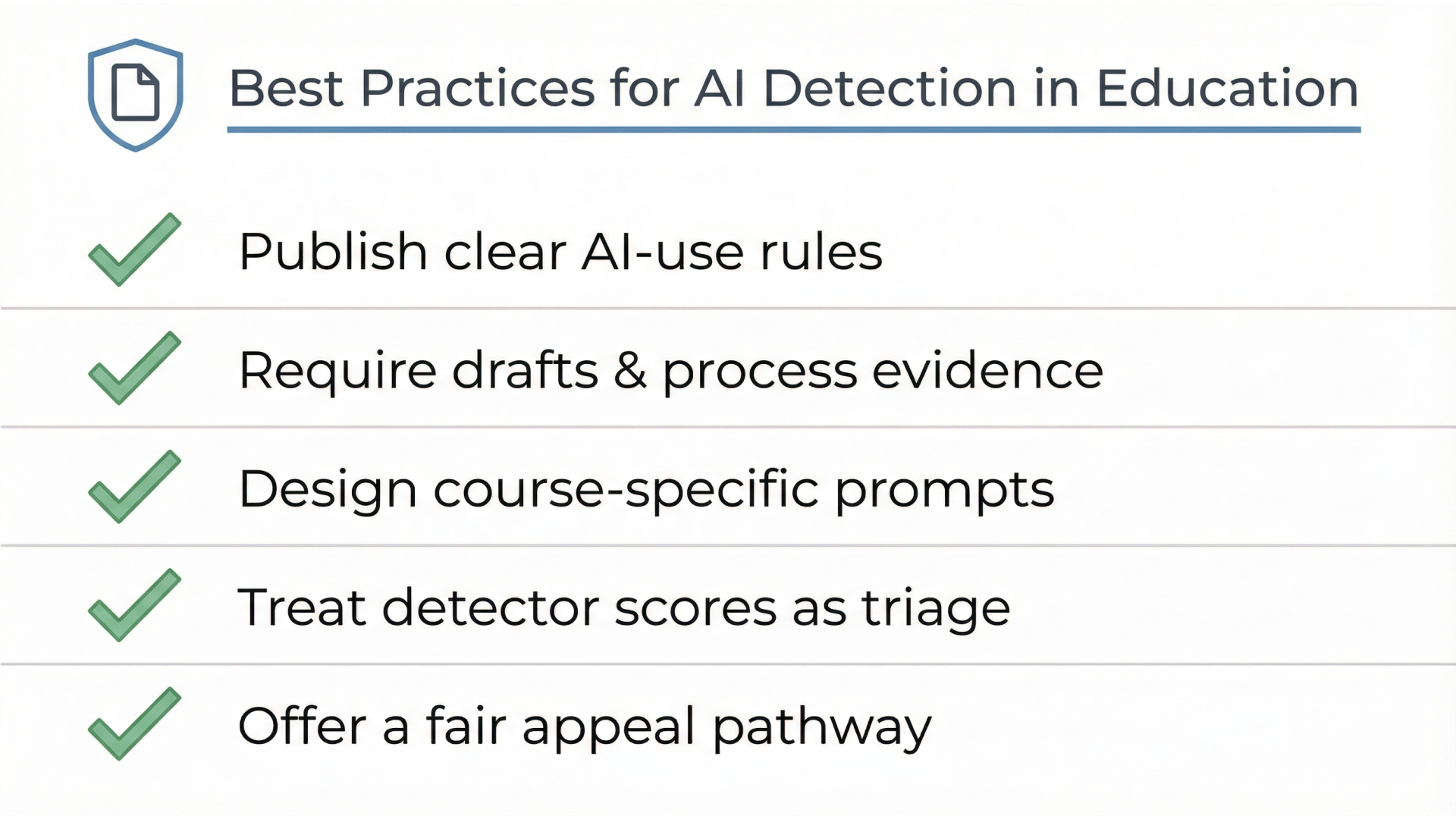
- Publish clear AI-use rules in plain language (e.g., brainstorming vs drafting).
- Require drafts and process evidence (outlines, revision history, citations, reflections).
- Design course-specific, authentic prompts tied to local data or class activities.
- Treat detector scores as triage signals, not verdicts.
- Offer a fair appeal pathway that doesn’t force students to “prove a negative.”
Practical guidance (students + educators)
For students: how to use AI responsibly (and reduce false flags)
- Use AI for planning, not submission-ready text. Ask for outlines, counterarguments, or examples then write in your own voice.
- Cite sources you actually used. Avoid hallucinated citations and keep accurate references.
- Keep drafts and notes. If questioned, you can show your process.
- Match your established writing style. Abrupt tone shifts are what instructors notice first.
- Follow your syllabus policy. Policies vary by instructor and department.
For educators: assessment design that reduces AI misuse
- Add authenticity: Tie prompts to local context, course discussions, labs, or class data.
- Use staged submissions: proposal → outline → draft → final, graded lightly at each stage.
- Include brief oral verification for high-stakes work (2–3 minutes on key claims).
- Ask reflection questions: “What trade-offs did you consider?” “Which source changed your mind?”
- Weight reasoning over fluency in rubrics. Reward grounded, course-specific thinking.
Tools and platforms schools use alongside Canvas
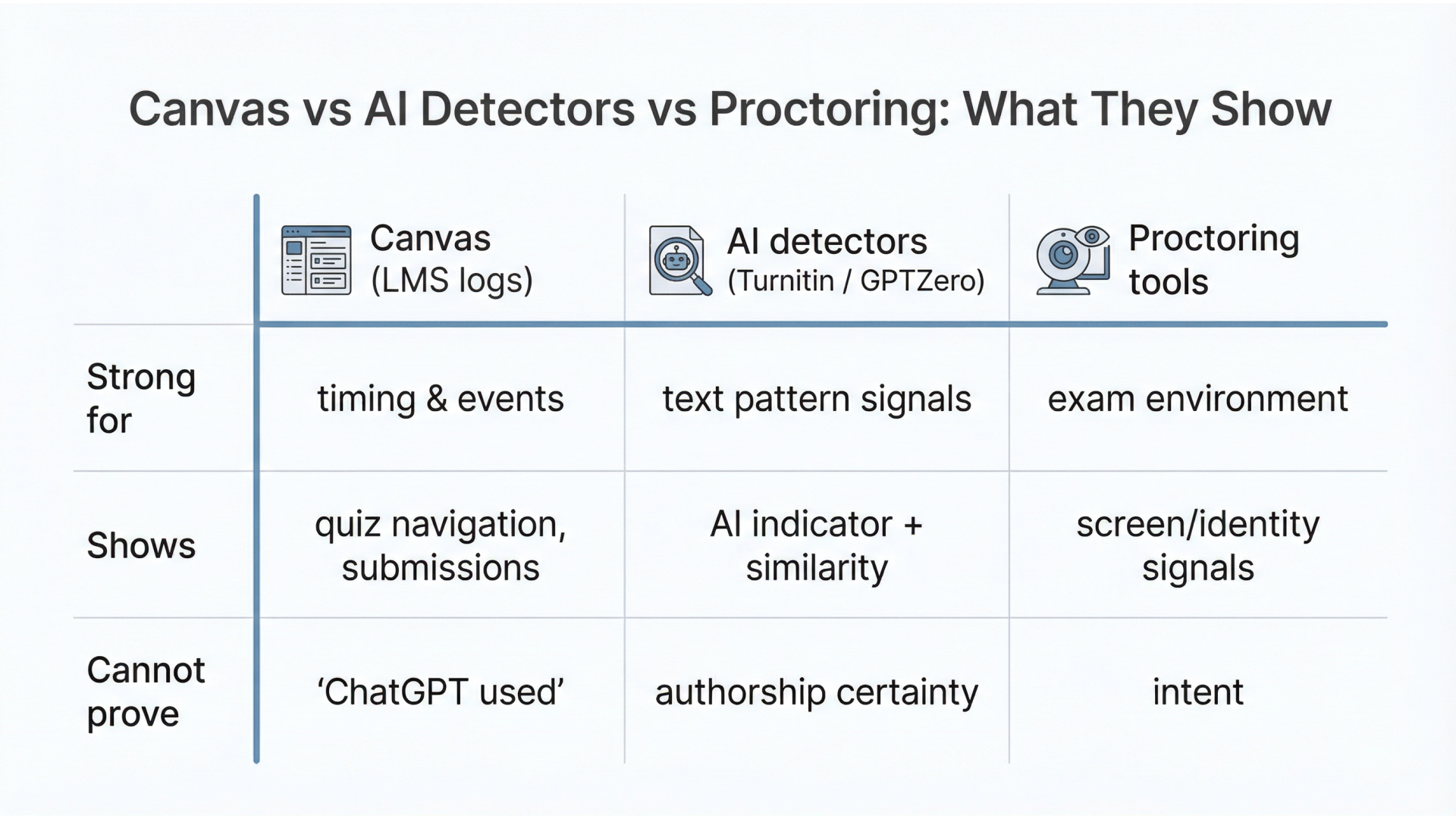
Here’s a quick comparison of what different tools can and can’t do. This helps answer “is there AI detection on Canvas?” without oversimplifying.
| Category | Examples | What it does well | What it cannot prove |
|---|---|---|---|
| LMS activity tracking | Canvas quiz logs, submission timestamps | Timing + navigation events, attempt history | Exact websites visited, “ChatGPT usage” |
| Plagiarism checking | Turnitin similarity reports | Source overlap detection + citation review | Whether text was AI-generated |
| AI-writing detection | Turnitin AI indicator (where available), GPTZero, Originality-style tools | Flags patterns consistent with AI writing | Authorship certainty; may false-flag |
| Proctoring / secure testing | Lockdown browsers, remote proctoring (varies by campus) | Restricts environment, may record session | Intent; also raises privacy concerns |
If your institution wants better integrity and better student experience, combine clear policy, assessment design, selective tooling, and consistent review standards.
How Musketeers Tech Can Help
Musketeers Tech helps education teams and organizations implement responsible AI and workflow automation without turning learning into surveillance. If you’re using Canvas and want clearer integrity workflows, we can design integrations and dashboards that separate signals (logs, similarity, AI indicators) from decisions (policy-aligned review).
For example, with our Generative AI Application Services, we can build AI-enabled student support tools (tutors, study assistants, rubric-based feedback) that encourage learning while keeping guardrails in place. With AI Agent Development, we can automate integrity triage—routing cases, collecting evidence (drafts, citations), and creating consistent review checklists.
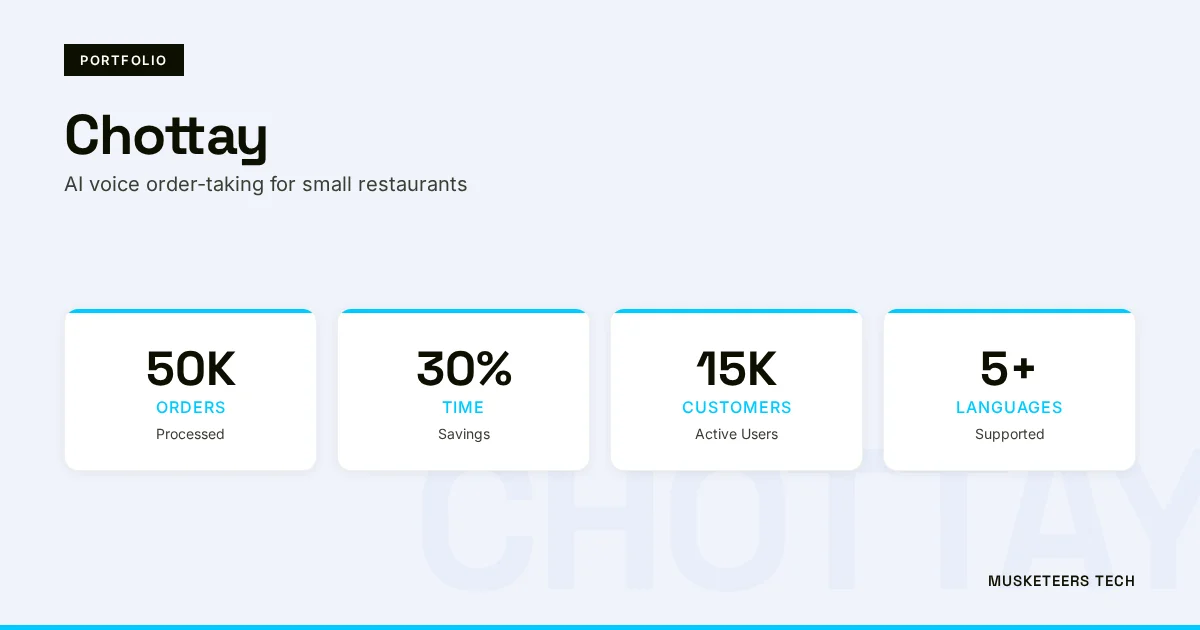
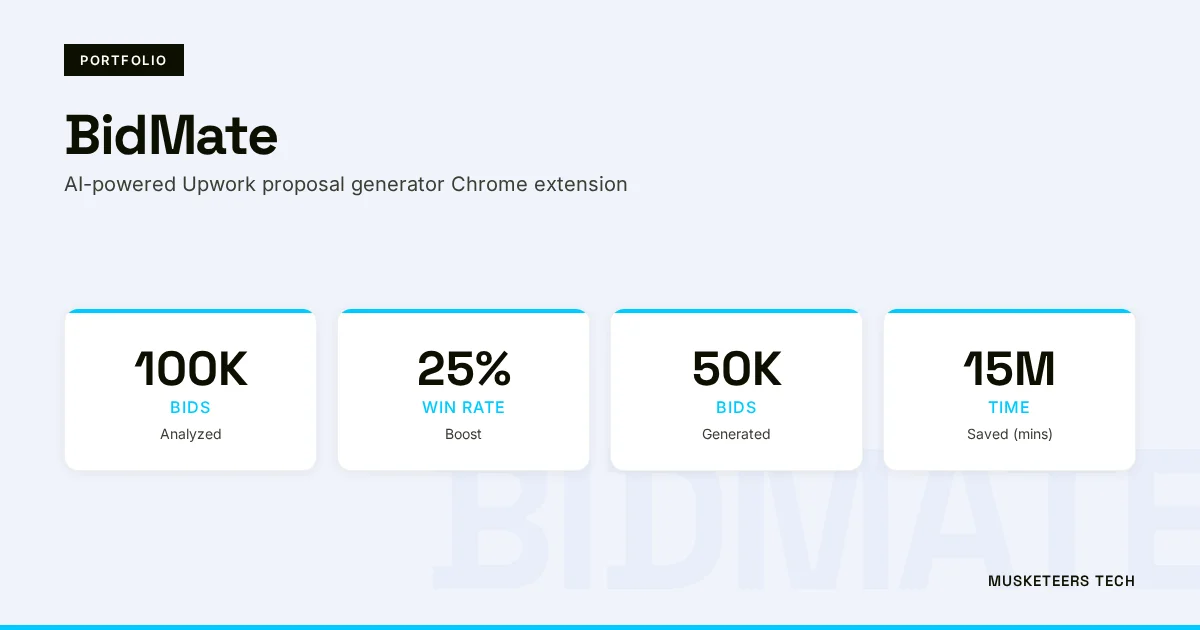
Relevant work includes AI assistant experiences like BidMate and conversational systems such as Chottaythe same patterns (audit trails, prompt governance, human-in-the-loop review) apply to education workflows.
Learn more about our Software Strategy Consulting or explore our portfolio.
Get Started Learn More View PortfolioFrequently Asked Questions (FAQs)
Canvas typically can’t “see ChatGPT” directly. It records submission events and quiz activity patterns and may surface reports from integrated tools like Turnitin if enabled by your institution.
Final Thoughts
So, can Canvas detect ChatGPT? Canvas itself usually can’t identify ChatGPT with certainty— but it can provide activity signals, and it can connect to tools that provide text-analysis indicators. In practice, academic integrity outcomes come from the combination of (1) platform logs, (2) integrations like Turnitin, and (3) instructor review against clear course policy.
If you’re a student, the safest path is to follow your syllabus rules, keep drafts, and use AI as a learning aid— not a replacement for your work. If you’re an educator or school leader, consider shifting from “catching” to “designing”: authentic prompts, staged drafts, and consistent review standards will outperform any detector-only approach—while reducing false accusations and protecting trust.
Need help with responsible AI in education? Check out our generative AI development services or explore our recent projects.
Last updated: 04 Feb, 2026
