
MCP (Model Context Protocol) Explained: How It’s Changing AI Agent Development Forever
If AI agents are the new apps, then tools and data are their operating system. MCP—the Model Context Protocol—standardizes how agents discover, request, and safely use external tools and resources. The result: faster integrations, more reliable outputs, and governance you can actually trust in production.
This end-to-end guide distills MCP’s mental model, architecture, implementation steps, best practices, and real-world patterns so you can adopt it with confidence.
TL;DR
MCP defines a common, typed interface between AI agents (clients) and capability providers (servers). Servers expose tools and resources with schemas, policies, and observability. Clients request capabilities, pass validated inputs, and receive predictable outputs—unlocking safer, scalable agent integrations.
MCP standardizes agent-to-tool interactions. It separates concerns into:
- Servers that expose capabilities (tools, resources, prompts) with typed schemas
- Clients (agents, apps) that request, call, and orchestrate those capabilities
- Governance controls (auth, scopes, approvals) and observability (logs, traces)
The MCP Mental Model: What’s Above and Below the Waterline
Think of MCP like an iceberg. Above the waterline, you see immediate benefits for your team—plug-and-play access to tools and more consistent outputs. Below the waterline lives the foundation that makes it all work at scale: schemas, policy, routing, and observability. Together, they transform ad‑hoc prompt wiring into a governed platform.
[List of visible and hidden layers]
- Plug-and-play tool access with predictable contracts
- Consistent prompts and structured outputs across use cases
- Servers expose capabilities (tools/resources) via a standard interface
- Context routing & schemas to keep LLMs on the rails
- Auth, scopes & approvals for safe operations
- Observability (logs/traces) & versioning for production rigor
How MCP Works (Architecture and Core Constructs)
MCP introduces a clean separation between capability providers (servers) and agent clients:
-
MCP Server
- Publishes discoverable capabilities:
- Tools (callable actions)
- Resources (readable context)
- Documents typed schemas and versions
- Enforces auth, scopes, rate limits, and approval workflows
- Emits logs and traces
- Publishes discoverable capabilities:
-
MCP Client (Agent/App)
- Discovers available capabilities
- Requests resource context and invokes tools
- Validates inputs/outputs against schemas
- Orchestrates calls and applies reasoning strategies
Key properties
- Standard interface: predictable capability discovery and invocation
- Typed I/O: schemas enforce correctness, reduce prompt fragility
- Context as a first-class citizen: resources describe what the agent can read
- Policy-first: scopes, approvals, and guardrails live with the capability
- Production visibility: logs, traces, metrics, and versioning
Production-Ready From Day One
Because access, schemas, and telemetry are standardized, MCP helps you move from prototypes to governed production workloads with fewer rewrites.
Implementing MCP in an AI Agent
Here’s a concise, pragmatic path to ship your first MCP-backed agent:
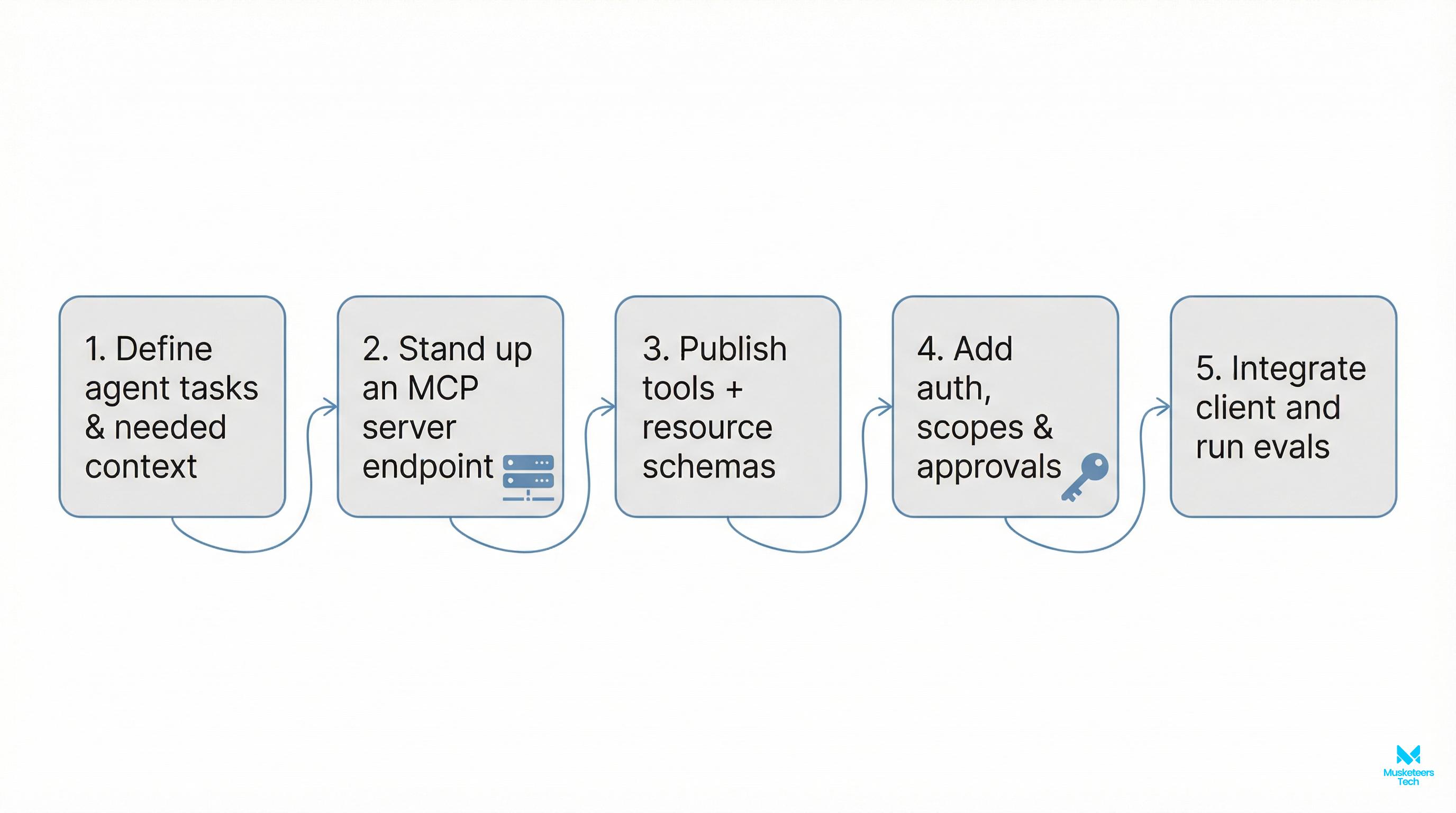
- Define agent tasks and needed context
- Clarify primary jobs-to-be-done and the minimal tools/resources required.
- Map user journeys to concrete actions (e.g., “Create Jira ticket,” “Send Slack alert,” “Retrieve customer profile”).
- Stand up an MCP server endpoint
- Expose tools and resources behind stable URLs or sockets.
- Assign owners and SLOs to each capability.
- Publish tool/resource schemas
- Use typed definitions for inputs/outputs and add clear error shapes.
- Version capability schemas and document deprecations.
- Add auth, scopes, and approvals
- Enforce least-privilege at the capability and operation levels.
- Add just-in-time approvals for high-risk operations.
- Integrate the client and run evals
- Wire the MCP client, validate I/O, and run task-focused evals.
- Establish regression suites and quality thresholds.
[.h6] Minimal capability examples
// Resource: customer_profile (read-only)
{
  "name": "customer_profile",
  "version": "1.2.0",
  "read": {
    "inputSchema": { "type": "object", "properties": { "customerId": { "type": "string" } }, "required": ["customerId"] },
    "outputSchema": { "type": "object", "properties": { "name": {"type": "string"}, "tier": {"type": "string"}, "lastSeen": {"type": "string", "format": "date-time"} }, "required": ["name","tier"] }
  },
  "scopes": ["read:customer"]
}
// Tool: create_ticket (action)
{
"name": "create_ticket",
"version": "2.1.0",
"call": {
"inputSchema": { "type": "object", "properties": { "title": {"type":"string"}, "description":{"type":"string"}, "priority":{"type":"string","enum":["low","medium","high"]} }, "required":["title","description"] },
"outputSchema": { "type": "object", "properties": { "ticketId": {"type":"string"}, "url":{"type":"string","format":"uri"} }, "required":["ticketId"] },
"errors": [{ "code":"VALIDATION_ERROR" }, { "code":"AUTH_DENIED" }, { "code":"UPSTREAM_FAILURE" }]
},
"scopes": ["write:tickets"],
"approval": { "required": true, "policy": "high_priority_only" }
}MCP vs Custom Integrations
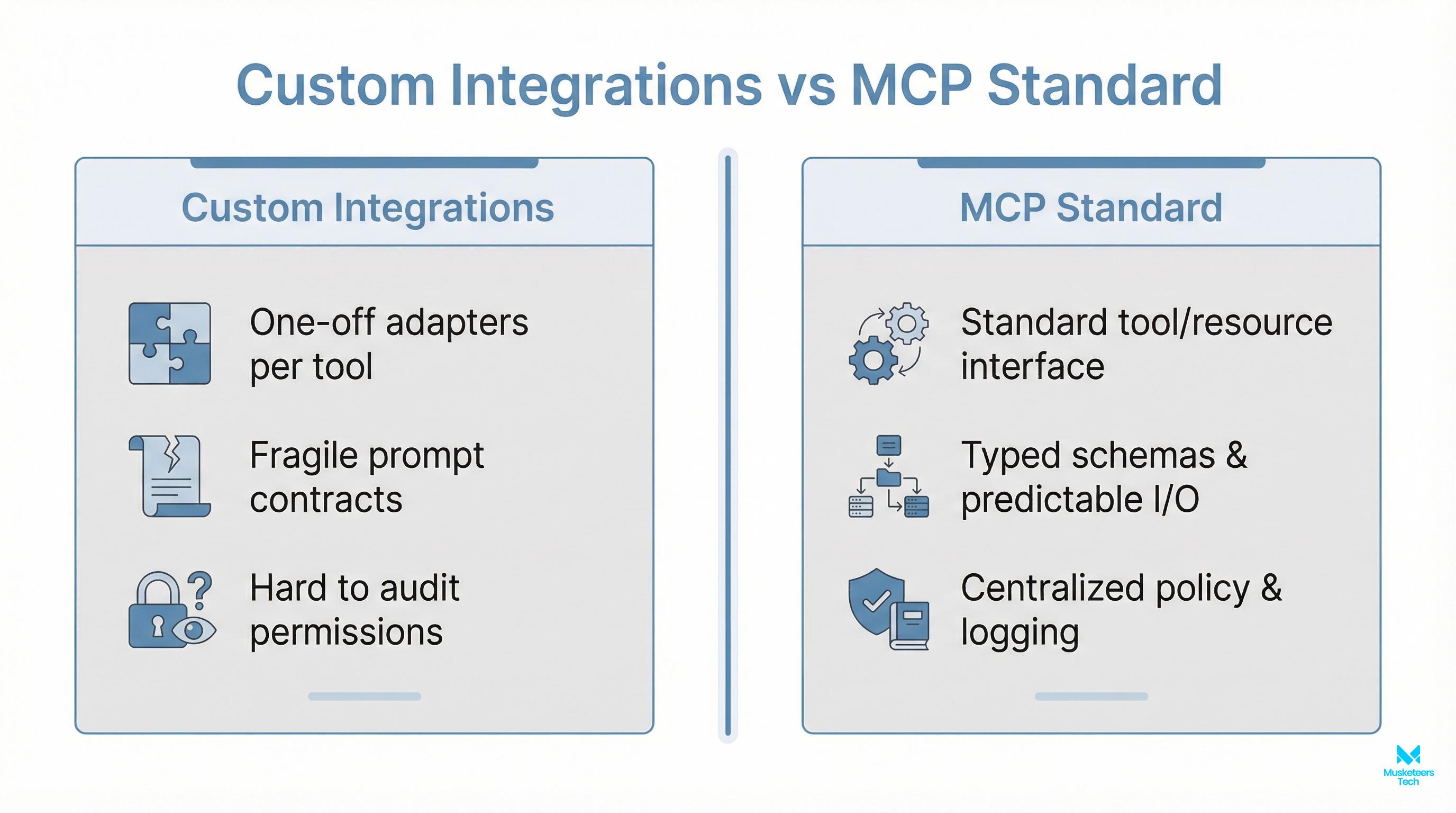
Custom, hand-rolled adapters tend to be brittle. MCP replaces bespoke glue with a standard, typed contract—making integrations easier to build, maintain, and govern.
-
Without MCP
- One-off adapters per tool
- Prompt contracts are fragile and implicit
- Hard to audit or restrict permissions
- Telemetry differs across services
-
With MCP
- Standard tool/resource interfaces
- Typed schemas with predictable I/O
- Centralized policy, scopes, and approvals
- Consistent logs, traces, and metrics
Hidden Cost of Custom Adapters
Teams often underestimate maintenance drag: breaking API changes, evolving prompts, and inconsistent error handling compound over time. Standardization pays back quickly.
Core Capabilities You’ll Use Most
-
Tools (actions)
- Deterministic inputs/outputs with clear failure modes
- Timeouts, retries, idempotency keys, and deduping
- Approvals for destructive or high-cost actions
-
Resources (context)
- On-demand reads of domain data
- Pagination and filtering to keep context trim
- Caching hints to reduce latency and cost
-
Context Routing
- Agents don’t need all data—only the right slice at the right moment
- Route by task, user, domain, or risk profile
- Keep memory lean; fetch context just-in-time
-
Policy and Scopes
- Capability-level allow/deny lists
- Per-user or per-agent scopes for least-privilege
- Break-glass flows for emergencies
-
Observability and Versioning
- Standard logs and traces per invocation
- Schema versioning and compatibility checks
- Canary rollouts and safe rollbacks
Proven Design Patterns
One agent orchestrates several MCP tools and resources. Great for task assistants, runbooks, and lightweight automations.
- Keep tool surfaces small and composable
- Add rate limits to prevent tool thrashing
Best Practices for MCP Implementations
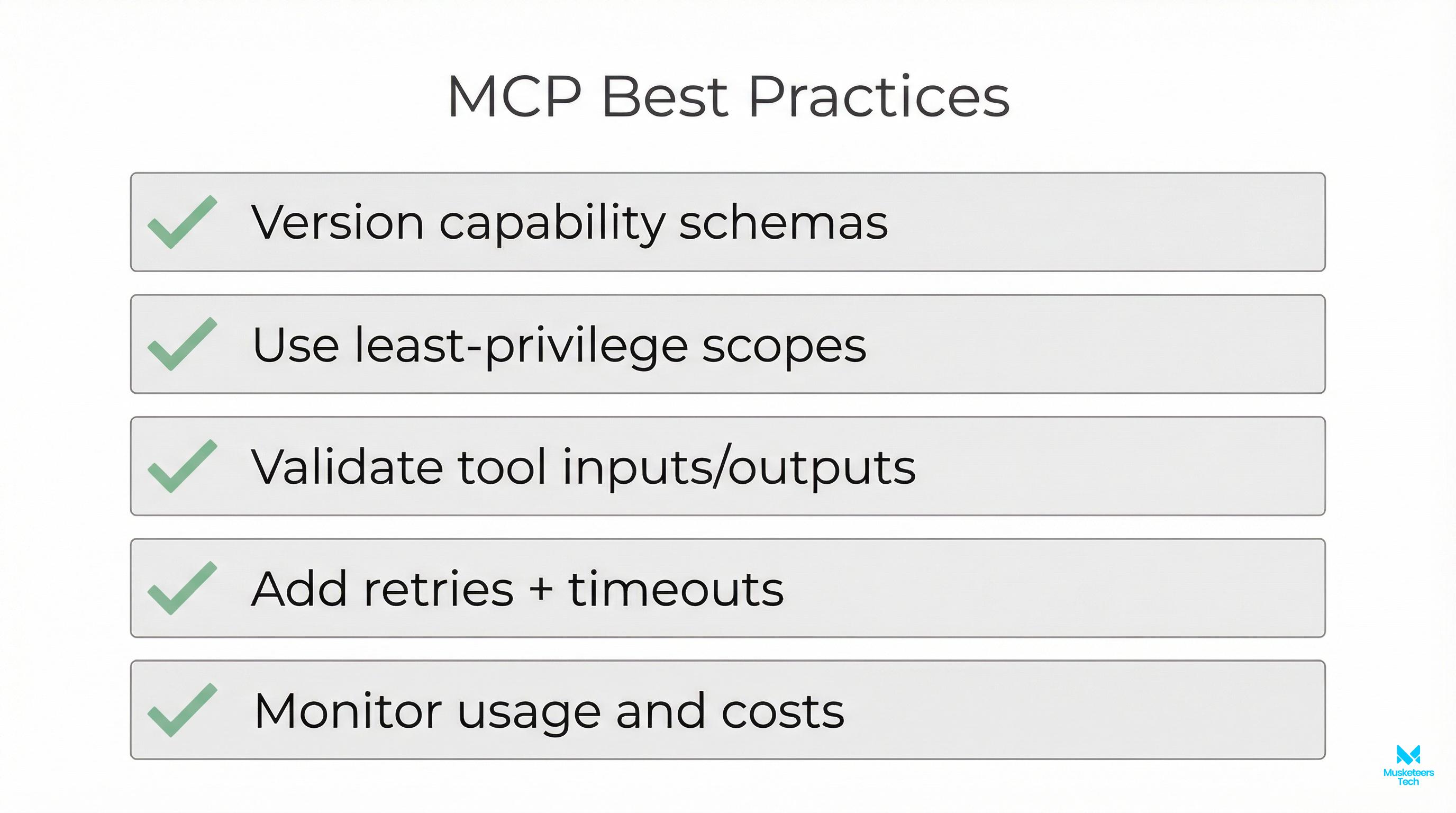
- Version capability schemas and document changes
- Use least-privilege scopes; default to deny
- Validate tool inputs/outputs with strict schemas
- Add retries, timeouts, and circuit breakers
- Monitor volume, cost, and error codes centrally
Additional tips
- Keep schemas small and explicit. Favor enums over free-form strings.
- Provide detailed error codes and messages—great for evals and debugging.
- Treat approvals like product surfaces (UX, SLAs, auditability).
- Run evals on real tasks and track multi-turn success, not just single calls.
Security and Governance Essentials
Scope Everything
Every tool and resource should require explicit scopes. Make request-time checks cheap and consistent. Log denies and near-misses for trend analysis.
-
Authentication
- Short-lived credentials and per-agent identity
- Rotate secrets and detect drift between config and runtime
-
Authorization (Scopes)
- Capability-level, operation-level, and data-slice-level scopes
- Map scopes to human-readable policies for audits
-
Approvals
- Tiered policies by risk (none → soft → hard approval)
- Record who approved and why; tie to artifacts or tickets
-
Data Handling
- Redact sensitive fields from logs and traces
- Token-bound or session-scoped access for resources
Evaluation and Reliability
-
Evals
- Build scenario libraries per task and domain
- Track task completion, latency, and error categories
- Compare versions of tools/resources over time
-
Reliability
- Retries with backoff for transient errors
- Shadow traffic during upgrades
- Idempotency to avoid duplicate side effects
-
Observability
- Correlate agent reasoning turns with tool calls
- Emit structured logs:
{ capability, version, scope, duration, cost } - Surface heatmaps for top failures and slow paths
Cost and Performance Management
-
Token Spend
- Slim context: fetch resources just-in-time
- Summarize or chunk long resources
- Cache stable reads and reuse across turns
-
Compute and Rate Limits
- Throttle hot capabilities and add bulk endpoints
- Batch reads when safe; avoid multi-hop thrash
-
Tool Choice
- Prefer narrow, optimized tools for common tasks
- Use staging vs production endpoints with cost budgets
Common Pitfalls (And How to Avoid Them)
-
Oversized Schemas
- Symptom: high token use, slow reasoning
- Fix: split capabilities; push optional fields behind flags
-
Implicit Contracts
- Symptom: model relies on fragile prompt conventions
- Fix: formalize with input/output schemas and validations
-
Scope Creep
- Symptom: agents accumulate broad access over time
- Fix: review scopes quarterly; build automated drift detection
-
No Rollback Story
- Symptom: upgrades cause regressions, hard to revert
- Fix: version everything, canary releases, rollback playbooks
Where MCP Fits in Your Stack
- Product layer: user intents, approvals, and guardrails
- Orchestration layer: agents and planners executing tasks
- Capability layer (MCP): tools and resources with schemas and policy
- Data layer: operational systems, knowledge bases, and logs
AI Agent Development
Design, implement, and productionize MCP-backed agents with strong governance.
Generative AI Apps
Ship reliable AI features faster with typed schemas, evals, and observability.
Software Strategy
Architecture reviews, roadmap, and ROI modeling for AI-enabled products.
Implementation Checklist You Can Copy
- Define 3–5 core tasks and the minimal tools/resources to support them
- Ship your first MCP server with strict schemas and scopes
- Integrate a client and run task-focused evals
- Add observability: logs, traces, cost dashboards
- Implement approvals for high-risk actions
- Version everything and set a rollback policy
Launch Playbook
Start narrow, prove value on one workflow, then scale capability-by-capability. MCP’s standardization makes this iterative path efficient and low-risk.
Frequently Asked Questions
MCP is a standard way for AI agents (clients) to discover, call, and govern external capabilities (servers). Servers expose tools and resources with typed schemas, scopes, and observability, enabling reliable and secure automation.
Get Expert Help to Ship MCP-Backed Agents Faster
With the right schemas, scopes, and evals, you can move from prototype to production without rewrites. We’ve helped teams design robust capability layers, enforce governance, and demonstrate ROI quickly.
Get Started Learn More View Portfolio Read MoreConclusion
MCP turns tool access and context into standardized, governed building blocks for AI agents. By separating capability delivery (servers) from intelligent orchestration (clients), you get predictable integrations, safer operations, and the observability you need in production. Start small with a narrow task, publish tight schemas and scopes, and iterate—MCP will scale with you.
Last updated: 11 Feb, 2026
